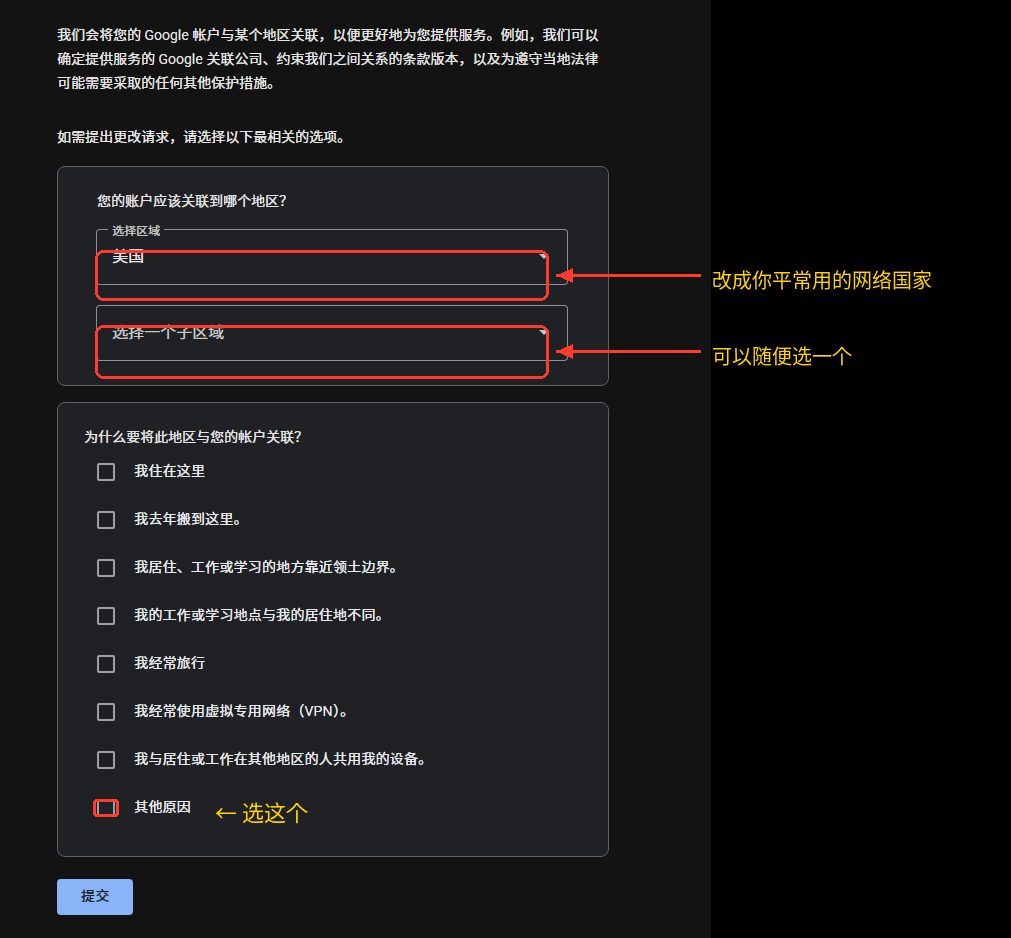
谷歌账号修改地区
- 注意:更改地区前,必须先挂美区节点几天,否则会失败。
- 打开改区链接:https://policies.google.com/country-association-form?hl=en
- 理由选择「其他」。
- 在文本框里填入以下内容:
Hello, I would like to subscribe to the Aloe service in the United States. Currently, the account area is not the United States. Please help me change the area of belonging to my Google account to the United States. Thank you!
注意:英文里的 the United States 要改成你下面选的国家,两处都要改,保持一致。